
Domain Archive Checker
Understanding the Results
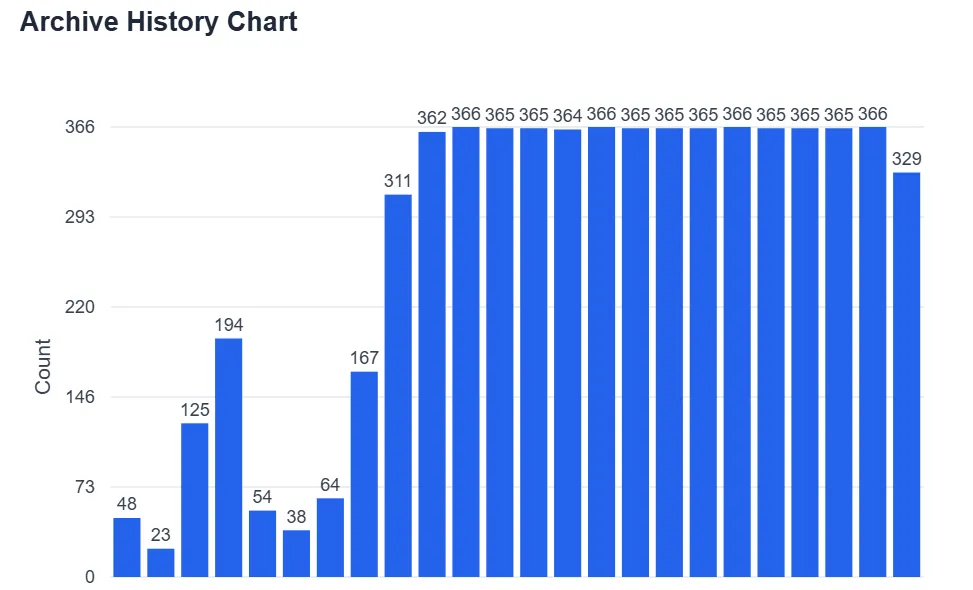
Archive History Chart
The results display an interactive chart that visualizes the domain's archive history over time. This bar chart shows the frequency of snapshots taken by the Wayback Machine, grouped by year. The X-axis represents time (years) and the Y-axis represents the number of archived snapshots. This visualization helps you quickly identify periods of high website activity and understand the domain's historical presence on the web.
Detailed Archive Results Table
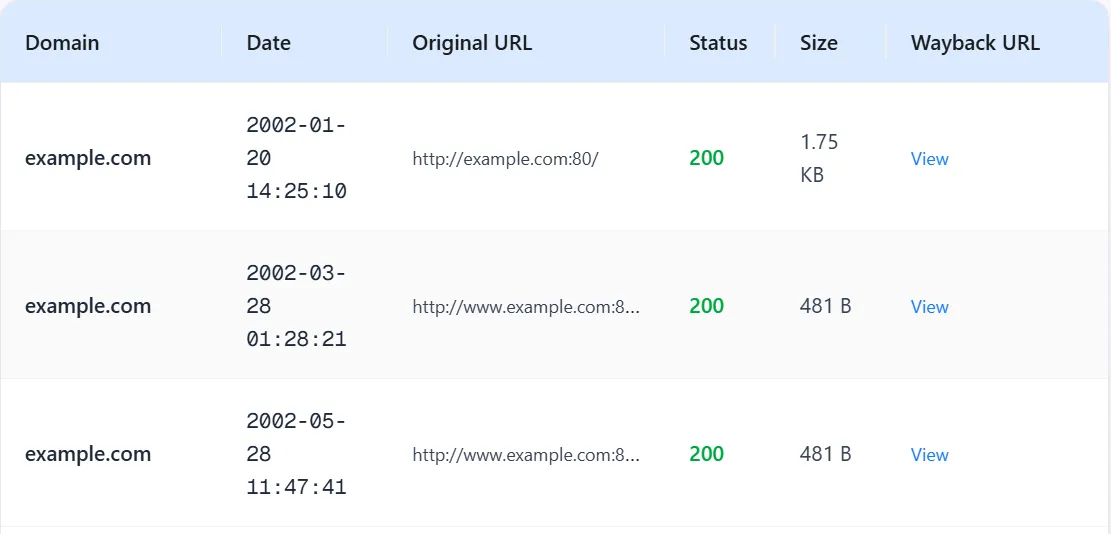
Below the chart, you'll find a comprehensive table listing every archived snapshot with detailed information. The table includes six key columns:
- Domain: The domain name that was archived
- Date: The exact timestamp when the snapshot was captured
- Original URL: The specific URL that was archived
- Status: HTTP response code indicating the page status (200 for success, 404 for not found, etc.)
- Size: The file size of the archived content
- Wayback URL: Direct link to view the archived page on the Wayback Machine
Export Options
After retrieving the archive data, you have two convenient export options available:
- Save Chart: Download the Archive History Chart as a PNG image for presentations or reports
- Save Result: Export the detailed archive data as a CSV file for analysis in spreadsheet applications
Both options become available once the results are loaded, allowing you to preserve and analyze the domain's archive history offline.
How to Check Domain Archive History
Enter Domain Name
Type or paste the domain name you want to check in the input field. You can enter any domain name (e.g., example.com).
Click Query Archive
Click the Query Archive button to retrieve archive history from the Wayback Machine. Our system queries the Internet Archive's CDX API to get all historical snapshots.
View Archive History
Results display an interactive chart showing archive frequency over time (grouped by month) and a detailed table with timestamp, MIME type, and status code for each snapshot.
Frequently Asked Questions
What is the Wayback Machine?
The Wayback Machine is a digital archive of the World Wide Web, maintained by the Internet Archive. It allows users to view historical versions of websites and see how they have changed over time.
What data does the archive checker show?
The archive checker displays historical snapshots of domains including the timestamp (date and time), MIME type of the archived content, HTTP status code, and other metadata from the Wayback Machine's CDX index.
How is the chart organized?
The chart groups archive snapshots by month (YYYY-MM format) and displays the count of snapshots for each month. The X-axis represents time (months) and the Y-axis represents the number of snapshots.
What do the status codes mean?
Status codes indicate the HTTP response status when the page was archived. Common codes include 200 (success), 301/302 (redirects), 404 (not found), and 500 (server error). The color coding helps identify successful vs. error responses.